Teams card
The client, the priority and the title, with I'll take it and Pass right on the card.

On call
Out of hours, tickets that can wait are held for the morning. Critical and High tickets page whoever is on call, and only them, until somebody takes it.
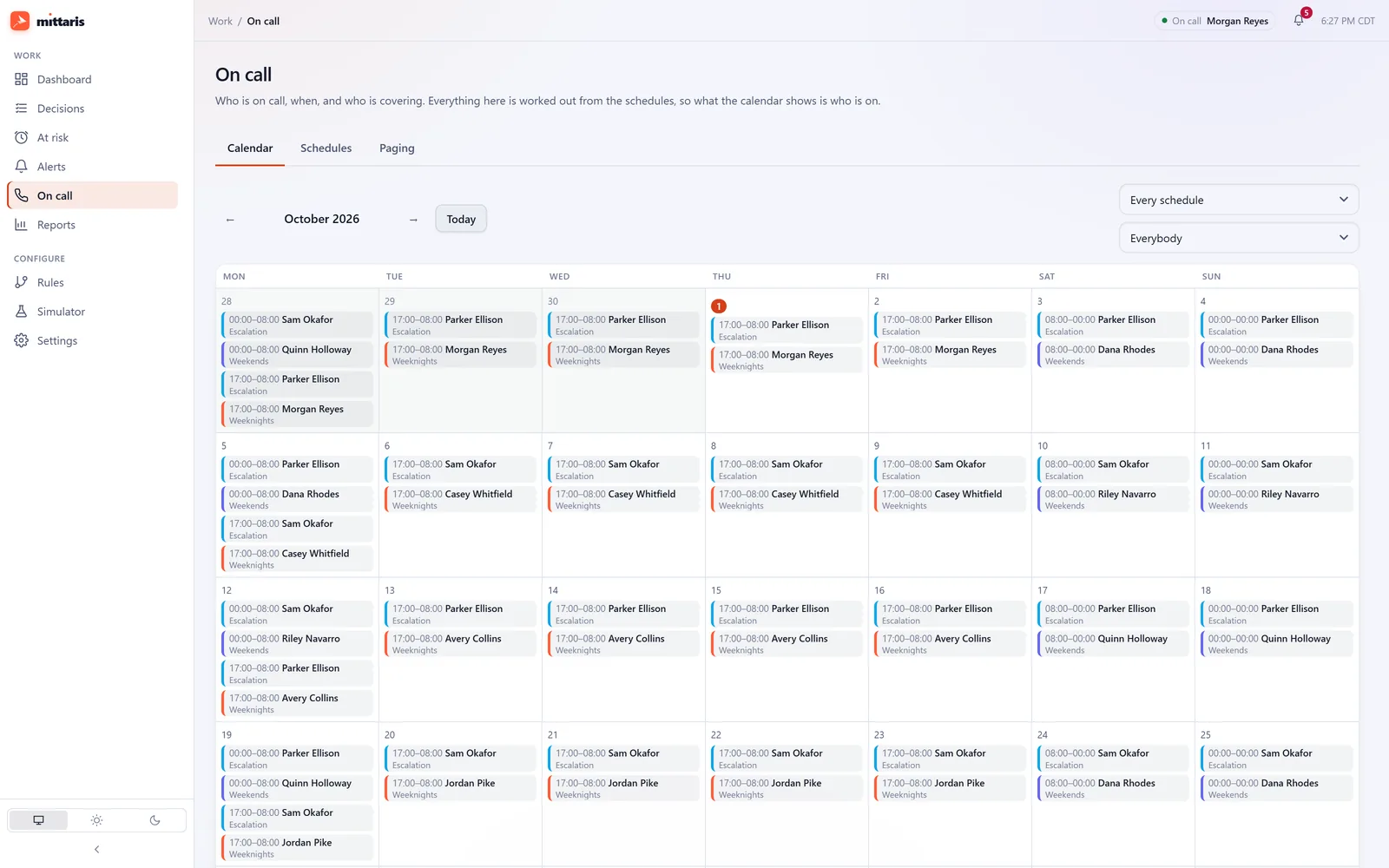
The calendar is worked out from the schedules, so what it shows is who is on.
Schedules
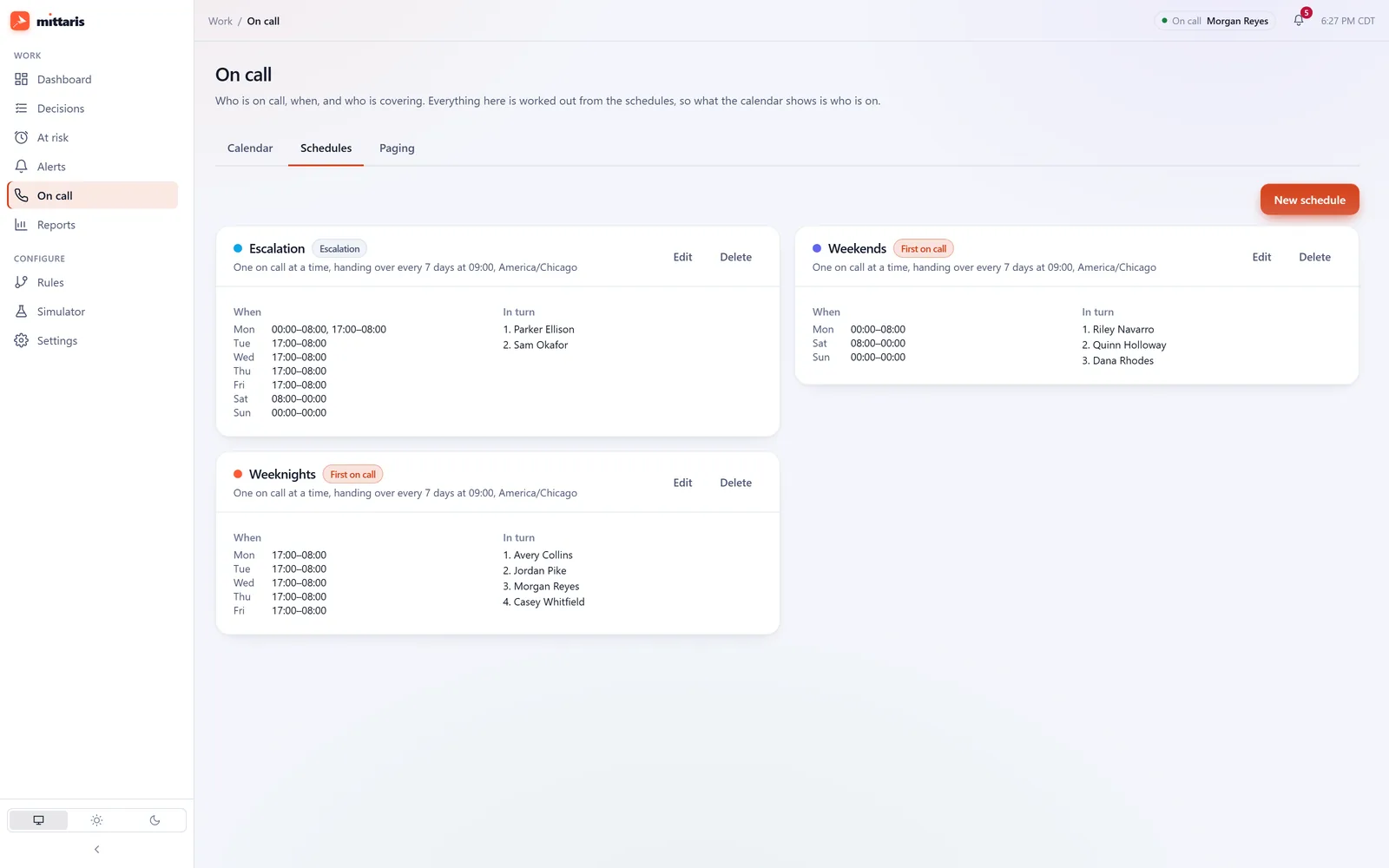
Each schedule has its hours, its members and a rotation. One member is on call at a time, handing over on the day and at the time you choose.
A cover swaps somebody out for a night or a week without touching the rota.
Paging
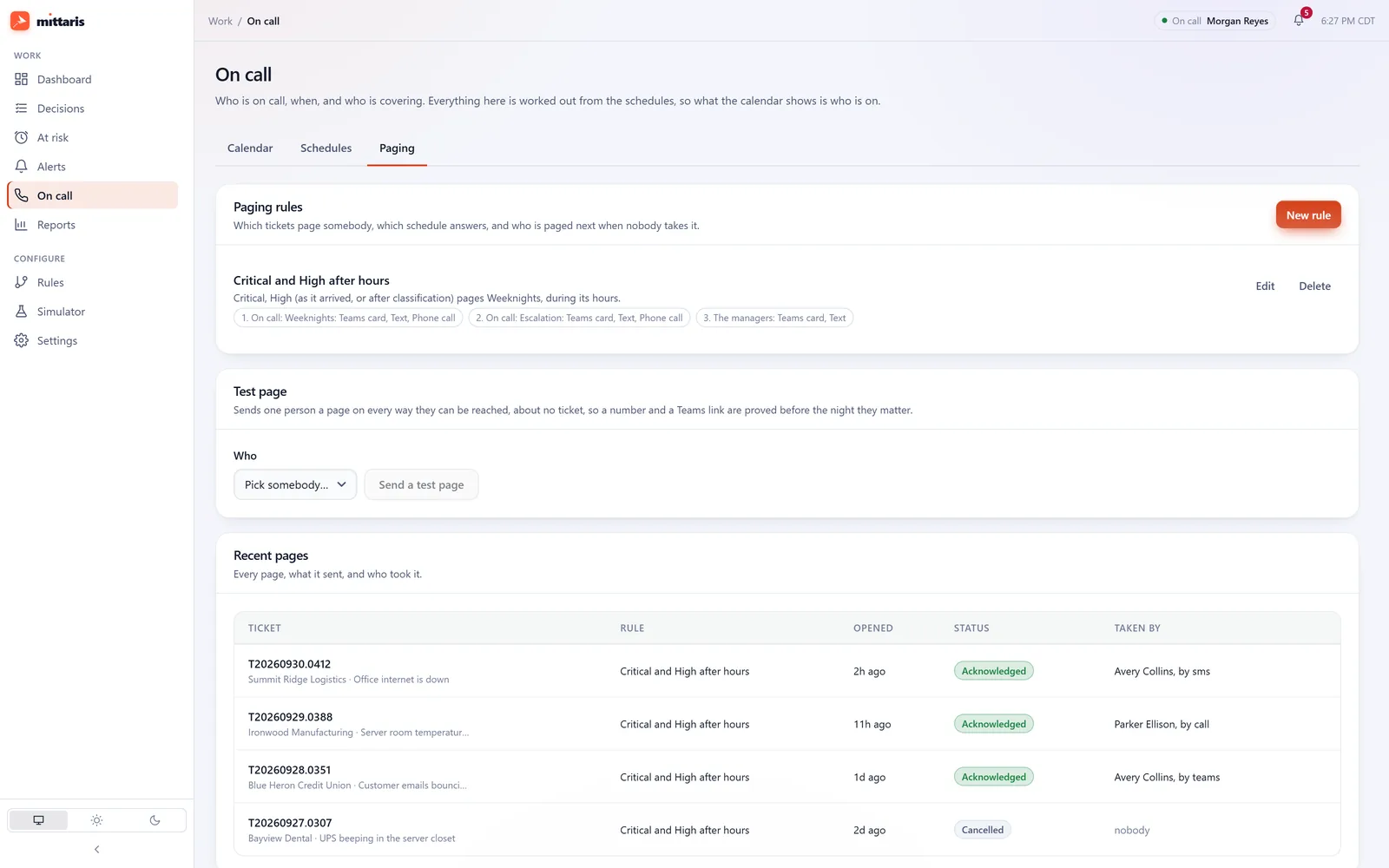
A paging rule picks which tickets page somebody, which schedules answer, and how each step is reached. If nobody takes it, the next tier's on-call person is paged, then your managers.
Nobody outside the rule is ever woken up.
Every way they can be reached
The client, the priority and the title, with I'll take it and Pass right on the card.
A text naming the client, the priority and the title. Reply 1 to take it or 2 to pass it on.
A call that reads the alert out: a critical alert at the client, then the ticket's title. Press a key to take it.
After hours
Outside business hours and on holidays nothing is assigned to the desk. Tickets wait for the morning, and on call is paged only for Critical and High.
Texts go only to technicians who opted in themselves, and STOP ends them at any time.
How alert texts work →
Tell us about your desk and we will set it up with you, in watch mode first, so you see every decision before Mittaris makes one.