◉
Reads every ticket
Works out the category, the urgency and the skills a ticket needs from what the client actually wrote.

For MSP service desks on Autotask and ConnectWise
Mittaris reads each new ticket, works out what it is about and how urgent it is, and assigns it to the best person on your team. Fairly, in seconds. Out of hours, urgent tickets page whoever is on call.
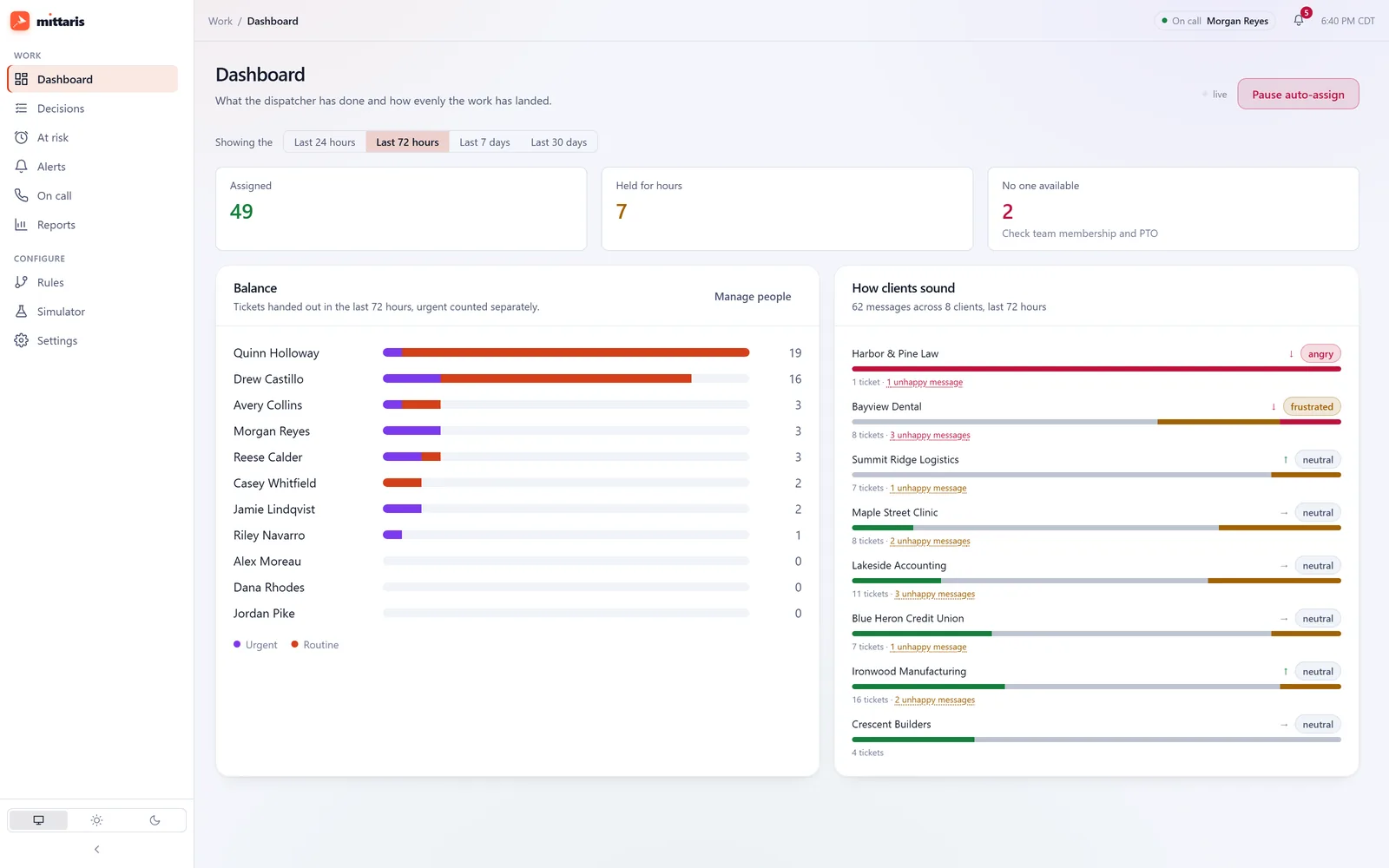
How it works
Sign in with your Microsoft work account and connect Autotask or ConnectWise. New tickets start flowing in straight away.
Bring your technicians in from the PSA, group them into teams and fill in the skills matrix. Add rules for the cases that must always go one way.
Mittaris shows what it would do with every ticket before it touches anything. When you are happy, turn on auto-assign.
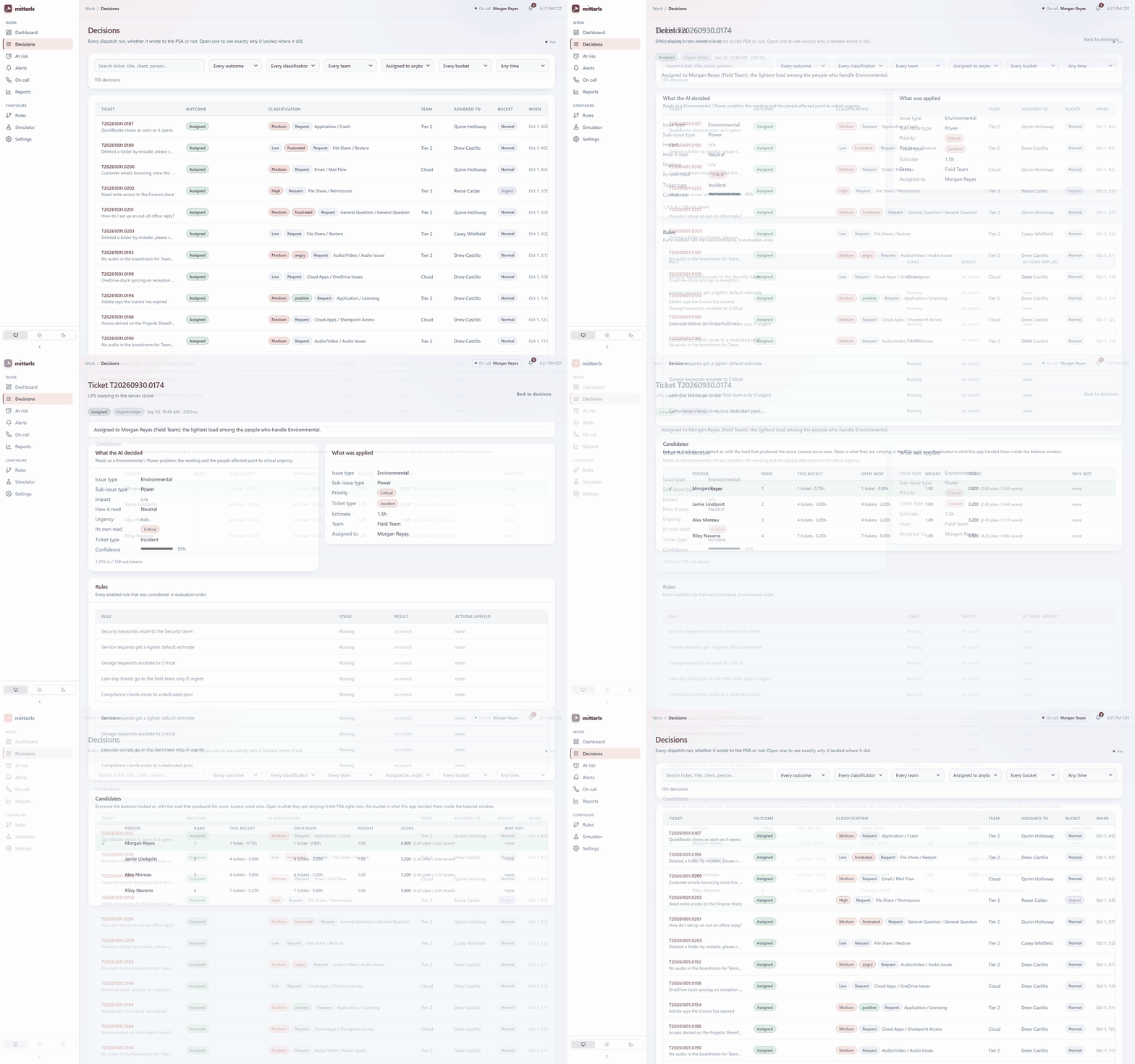
Shows its working
Open any ticket and see what the AI read, which rules ran, who was considered and why the person who got it came out on top. Nothing happens that you cannot explain to a client or a tech.
Features
Works out the category, the urgency and the skills a ticket needs from what the client actually wrote.
Balances the load across the team, counts urgent work separately, and respects shifts, time off and working hours.
Skills, teams, tags and rules decide who can take what. A rule you set always beats a guess.
One person on call per schedule, with escalation and managers behind them. Pages go out by Teams, text and phone call.
Flags tickets heading for a breach while there is still time to do something about it.
Reads the tone of every message and shows which clients sound frustrated, and why.
On call
Schedules decide who is on call. Critical and High tickets page that person by Teams, by text and by a phone call that reads the alert out. If nobody takes it, the escalation schedule is next, then your managers.
Everything else waits for the morning, so nothing is assigned to a desk that has gone home.
How on call works →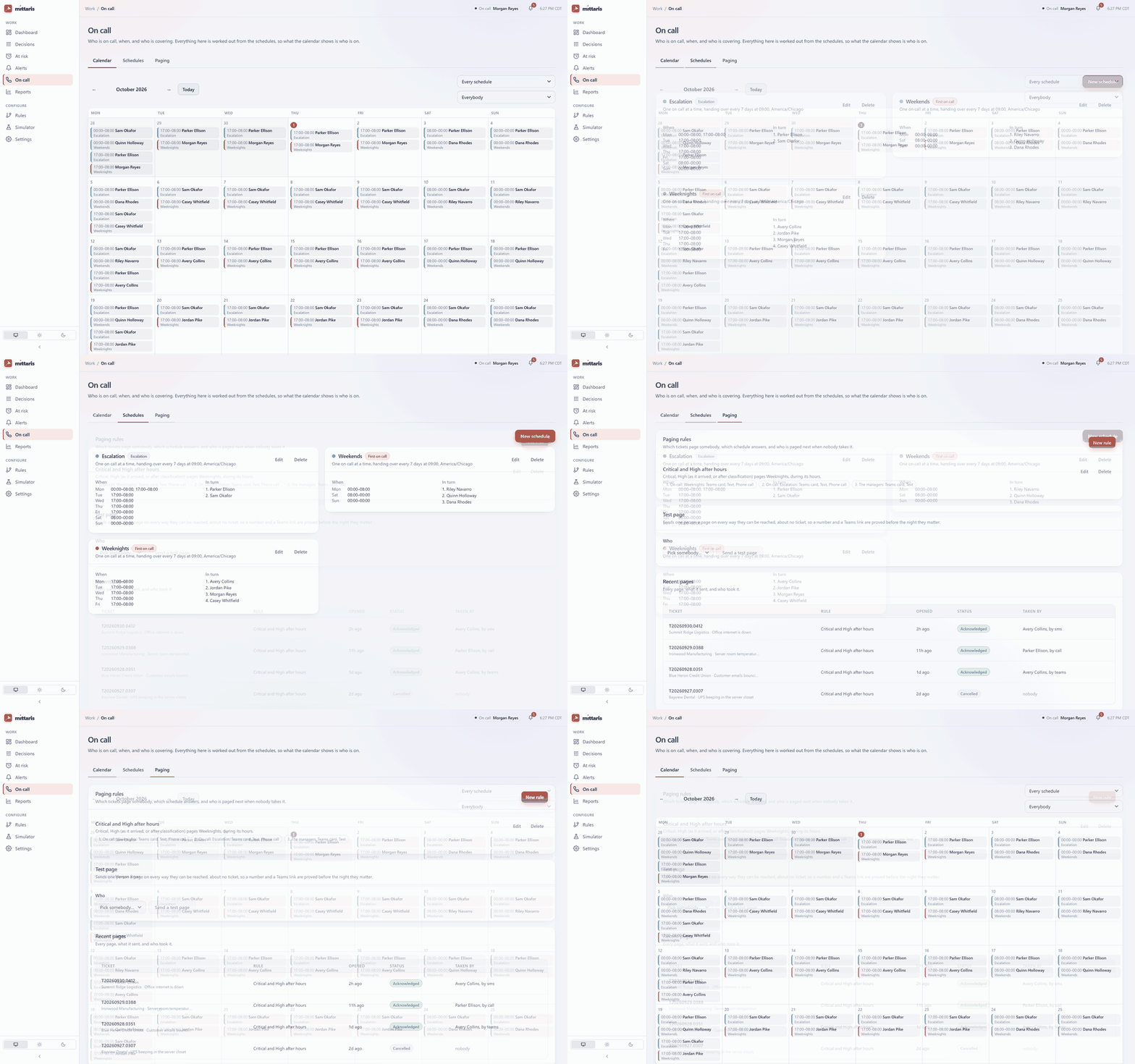
Security
Built for MSPs that hold the keys to their clients' systems.
More on security →Pricing
Every feature, for your whole desk. No charge per technician.
Sign up
Tell us a little about your team. We will be in touch to set up your desk, connect your PSA and get your first tickets dispatching.